STRUCT
| Type | Quiz 4 Material |
|---|
Structures
Collection of items which may be of different types
Same as classes in Java
Structs
- Use named, not structural, type equivalence
- Untagged structs are each a different type
If given a pointer to a struct, use the -> operator to simultaneously dereference and access it
Structs declaration
struct [ <optional tag> ] [ {
	<type declaration>;
	<type declaration>;
	...
} ] [ <optional variable list> ];- Struct declarations that have a member list in curly braces define a new type, specifically a struct type.
- If the optional tag is omitted it creates an unnamed struct type that’s different from every other struct type.
- Filling in <optional variable list> often makes the declaration also a definition; the variables defined appear in the function’s name scope just like any other variable.
- Struct tags are in a separately-scoped name space from variables, i.e. a struct variable can have the same name as a struct tag without causing confusion
- Struct member names are in yet another name space local to the structure type, e.g. every structure type could have a member named “next”
Struct Initialization
struct mystruct_tag {
	int myint;
	char mychar;
	char mystr[20];
};
struct mystruct_tag ms = {42, 'f', "goofy"};
Two same way of struct implementation
struct Dog {
   char name[20];
   int isGood;
};

int main(void) {
   struct Dog dog = dogs[5];
   strncpy(dog.name, "Doggo", 6);
   dog.isGood = 1; // true
}
is equivalent to
int main(void) {
   struct Dog *dog = &dogs[5];
   strncpy(dog->name, "Doggo", 6);
   dog->isGood = 1; // true
}
Struct in memory
struct Dog {
   char name[20];
   int isGood;
   int age;
};
struct Dog my_dog;
//Assume sizeof(int) == 4 and struct starts at x4000| Address | At the Address | Data Type |
| x4000 | name[0] | char |
| x4001 | name[1] | char |
| x4002 | name[2] | char |
| x4003..x4013 | name[3] - name[19] | char |
| x4014 | isGood | int |
| x4018 | age | int |
Copying Structs
struct s {
	int i;
	char c;
} s1, s2;
s1.i = 42;
s1.c = 'a';
s2 = s1; //for loop copy of s1 to s2. Cloning
s1.c = 'b';
s2.i //42
s2.c //a
//Note that assigning the structure just copied the
//bytes from one memory block to another. There is
//no connection between them.
struct s {
int i;
char c[8];
} s1, s2;
s1.i = 42;
strcpy(s1.c, "foobar");
s2 = s1;
//Since we assigned s1 to s2, s2.c is going to contain
//exactly the same characters as are in s1.c, even
//including the unspecified character at s1.c[7]!
s2.i //42
s2.c //'f','o','o','b','a','r','\0'
Memory Storage
struct {
	char mychar;
	int myint;
	char mystr[19];
} mystruct;
Example
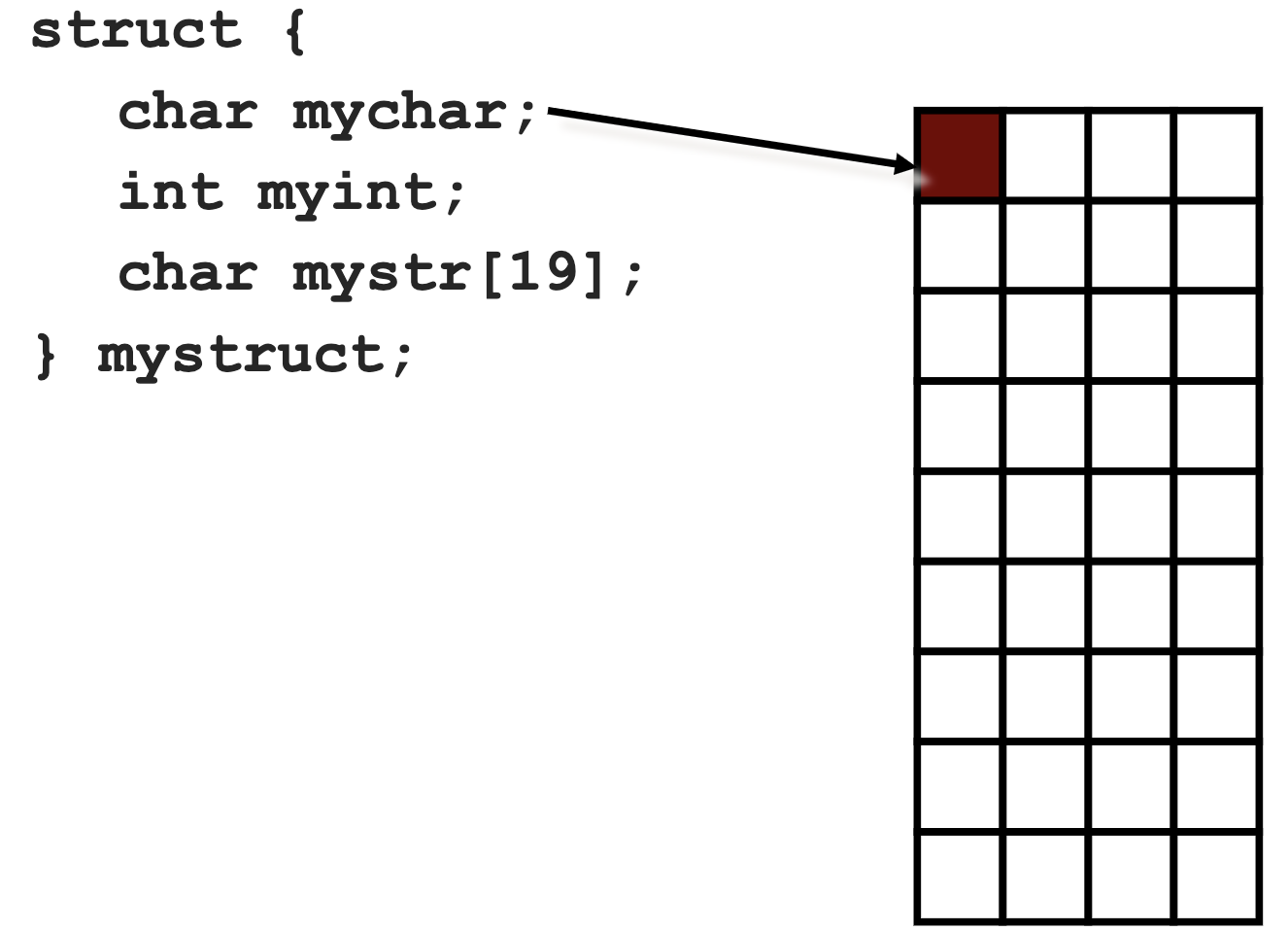
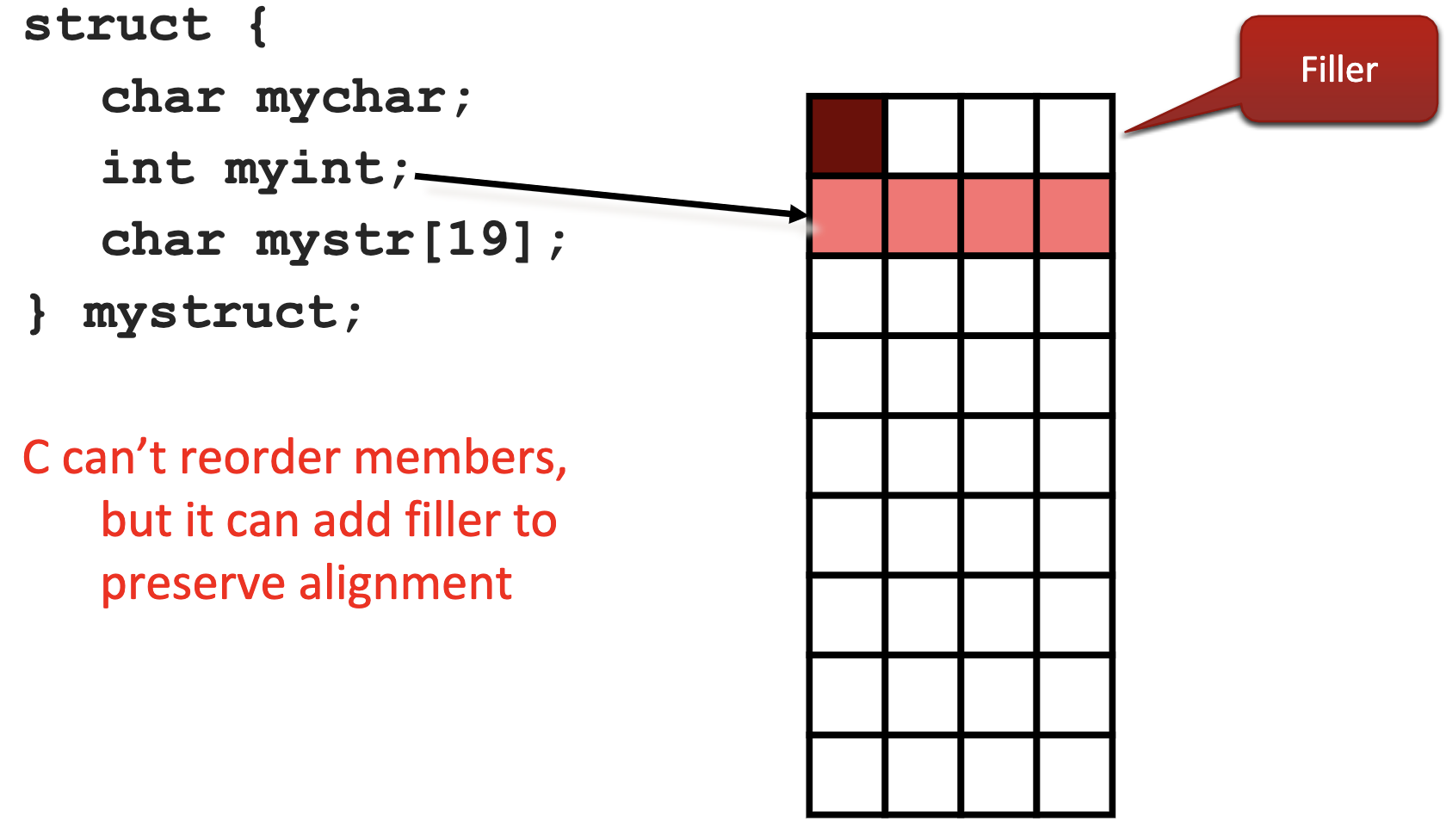
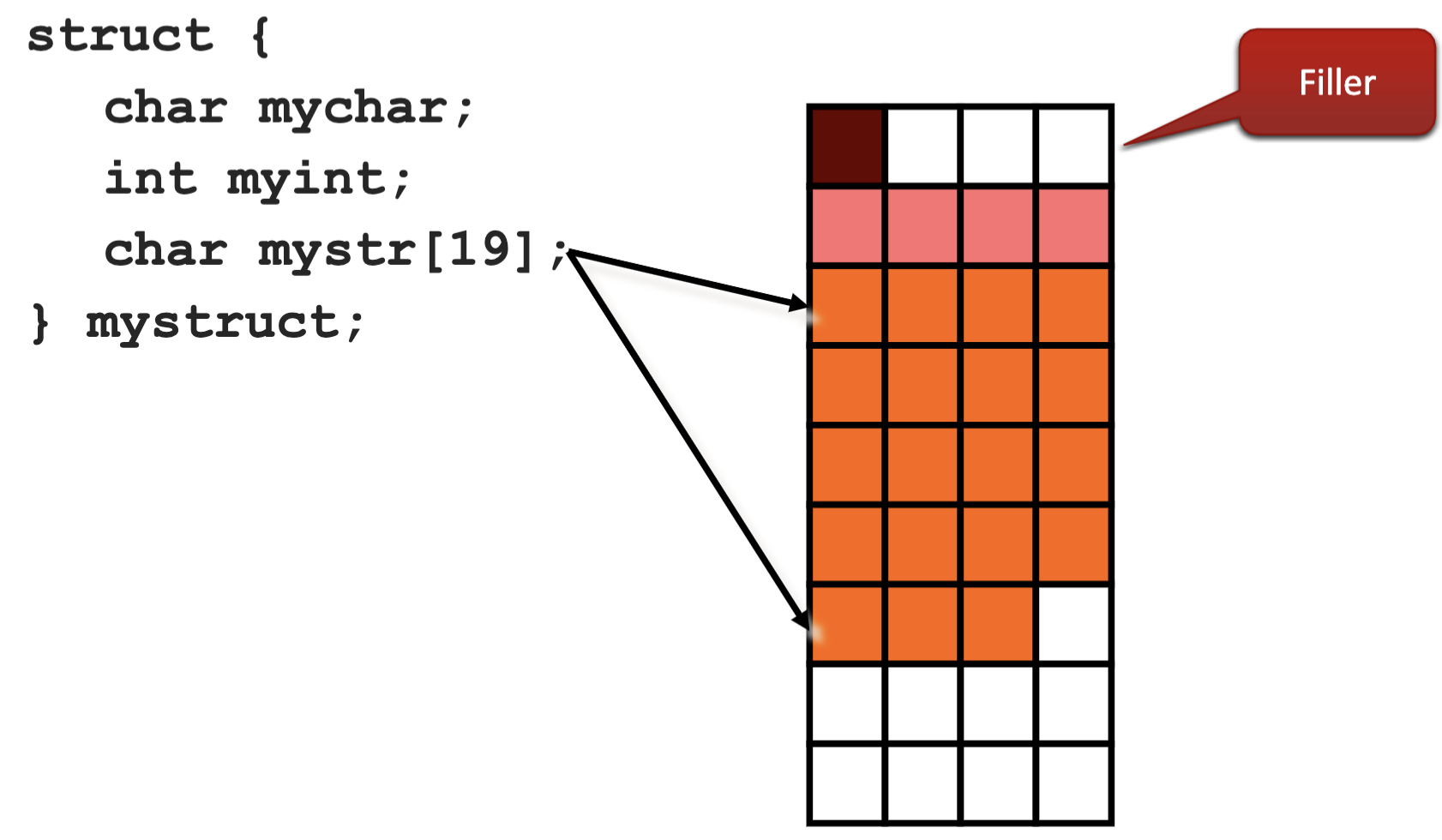
Structs are usually filled out to meet the most stringent alignment of its members
sizeof(mystruct) =28
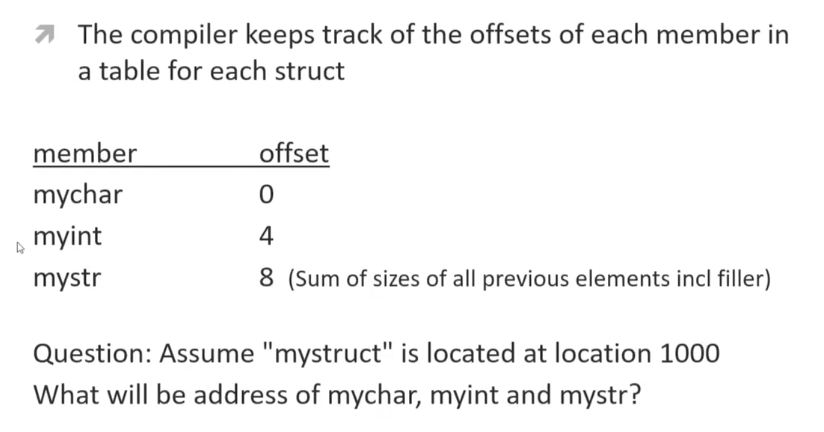
#include <stdio.h>
struct {
	char mychar;
	int myint;
	char mystr[19];
} mystruct;
int main() {
	printf("Address of mystruct = %p\n", (void *)&mystruct);
	printf("Offset of mychar = %ld\n",
	(void *)&mystruct.mychar - (void *)&mystruct);
	printf("Offset of myint = %ld\n",
	(void *)&mystruct.myint - (void *)&mystruct);
	printf("Offset of mystr = %ld\n",
	(void *)mystruct.mystr - (void *)&mystruct);
	printf("Size of mystruct = %ld\n", sizeof(mystruct));
}
/*
$ gcc sizes.c
$ ./a.out
Address of mystruct = 0x10ae74018
Offset of mychar = 0
Offset of myint = 4
Offset of mystr = 8
Size of mystruct = 28
*/
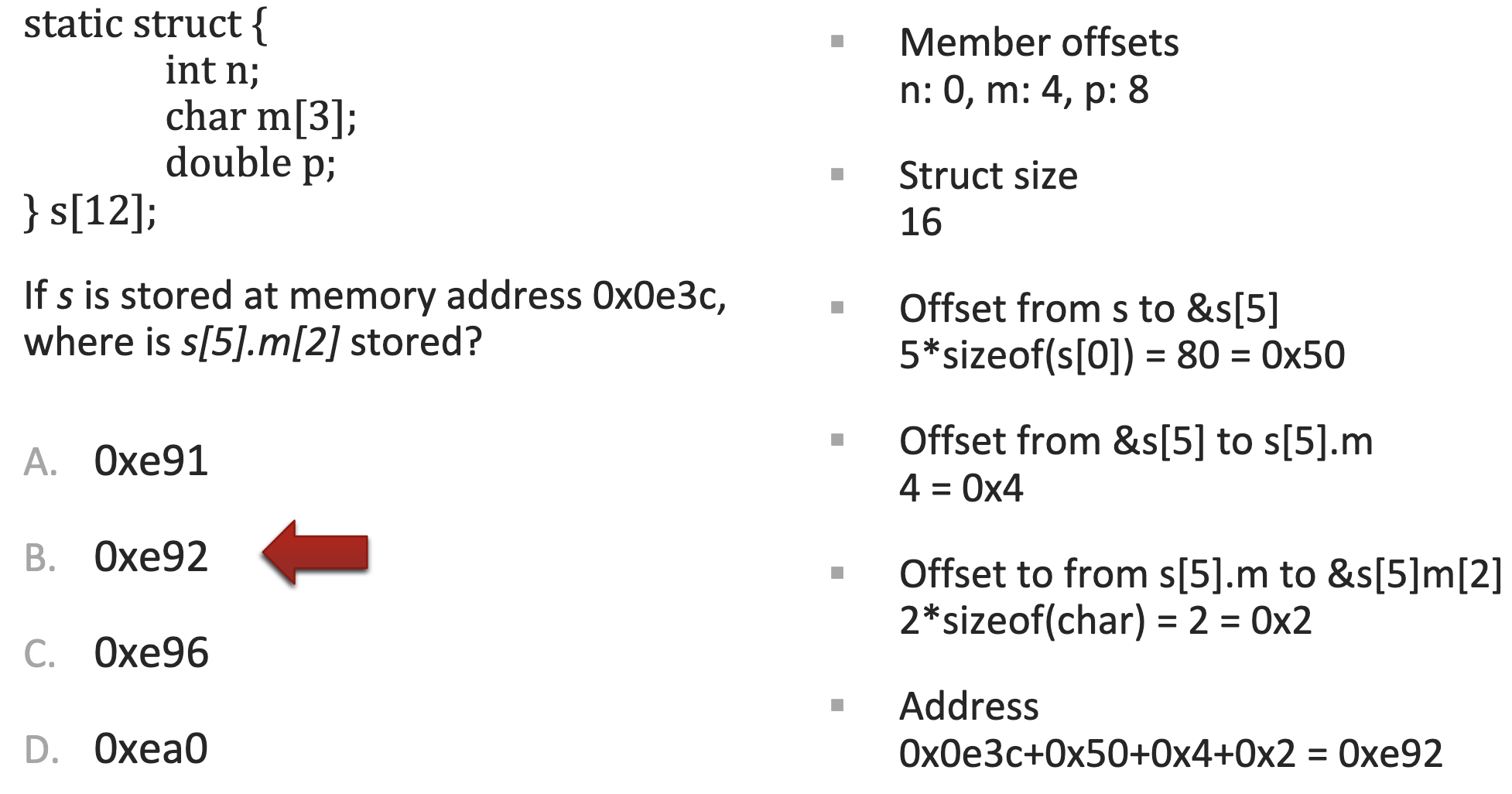
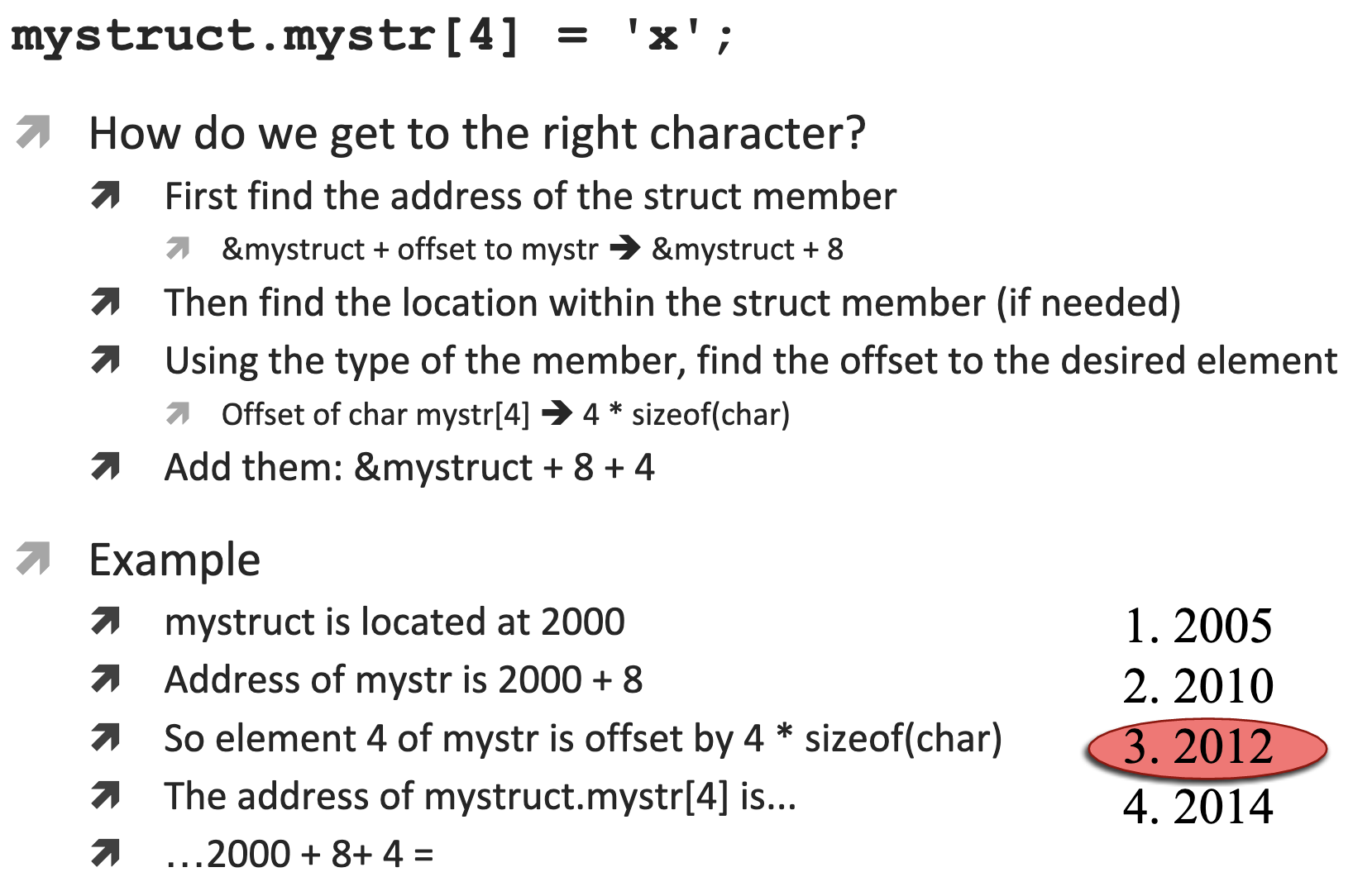
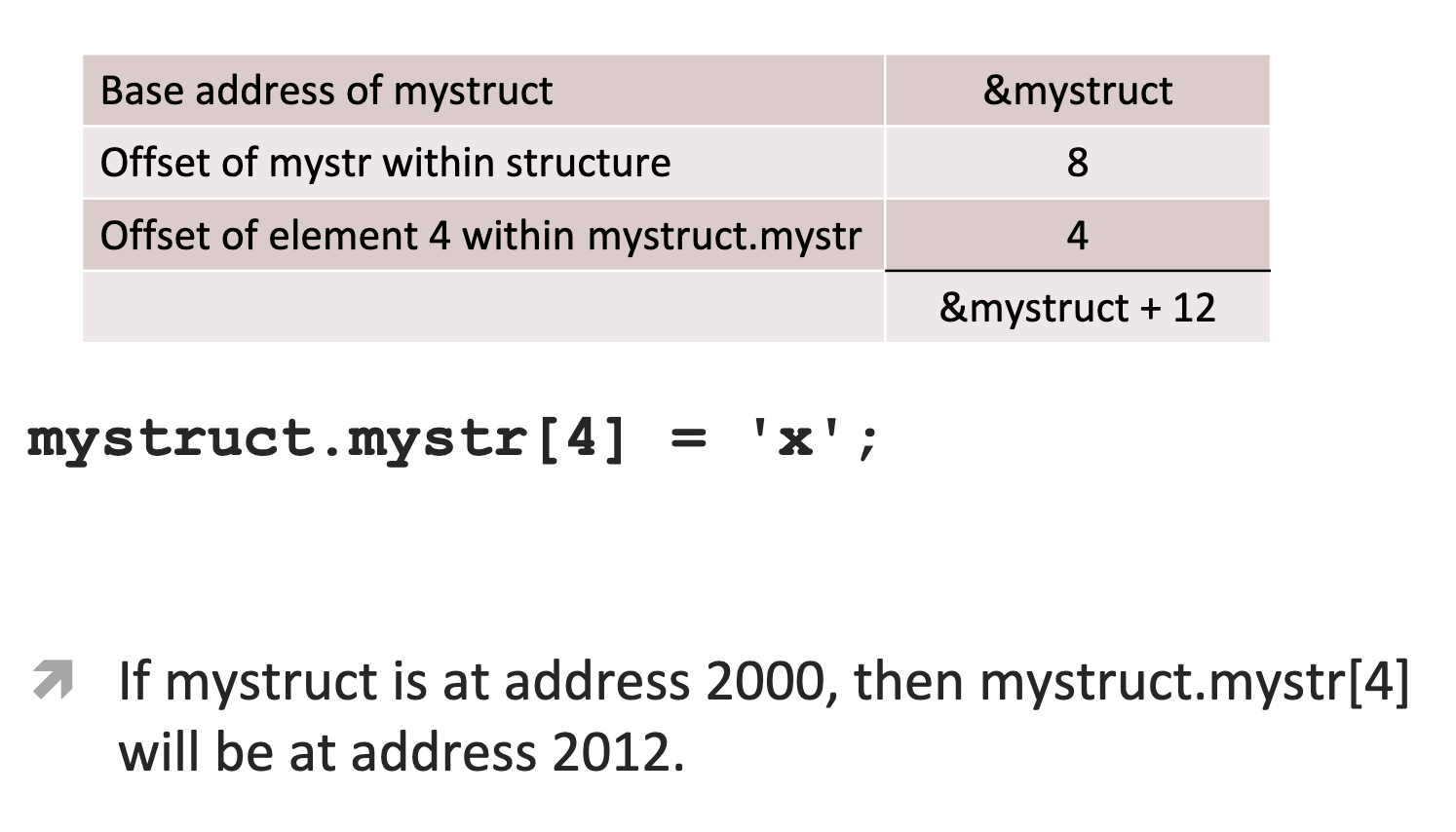
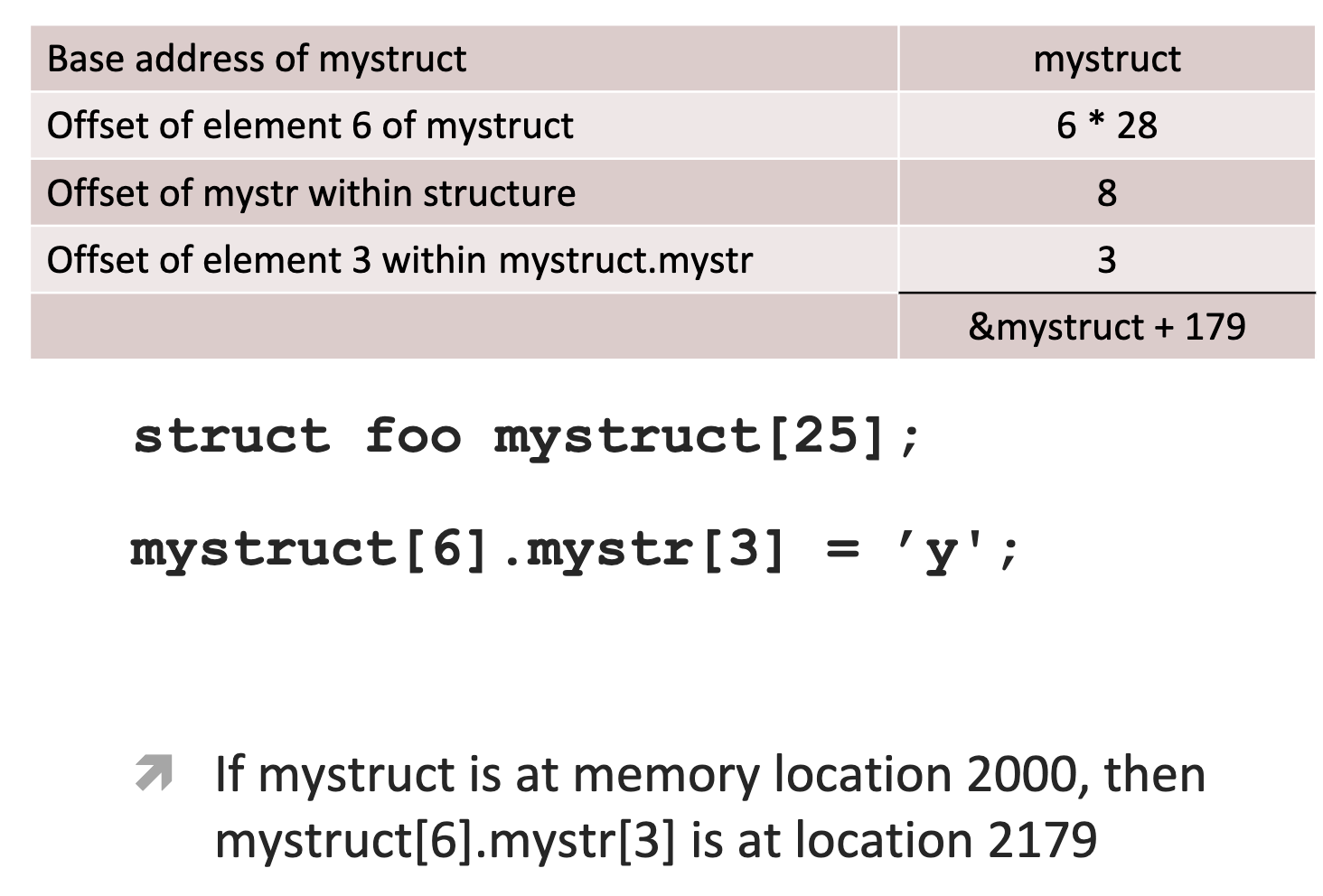
Indexing into a String
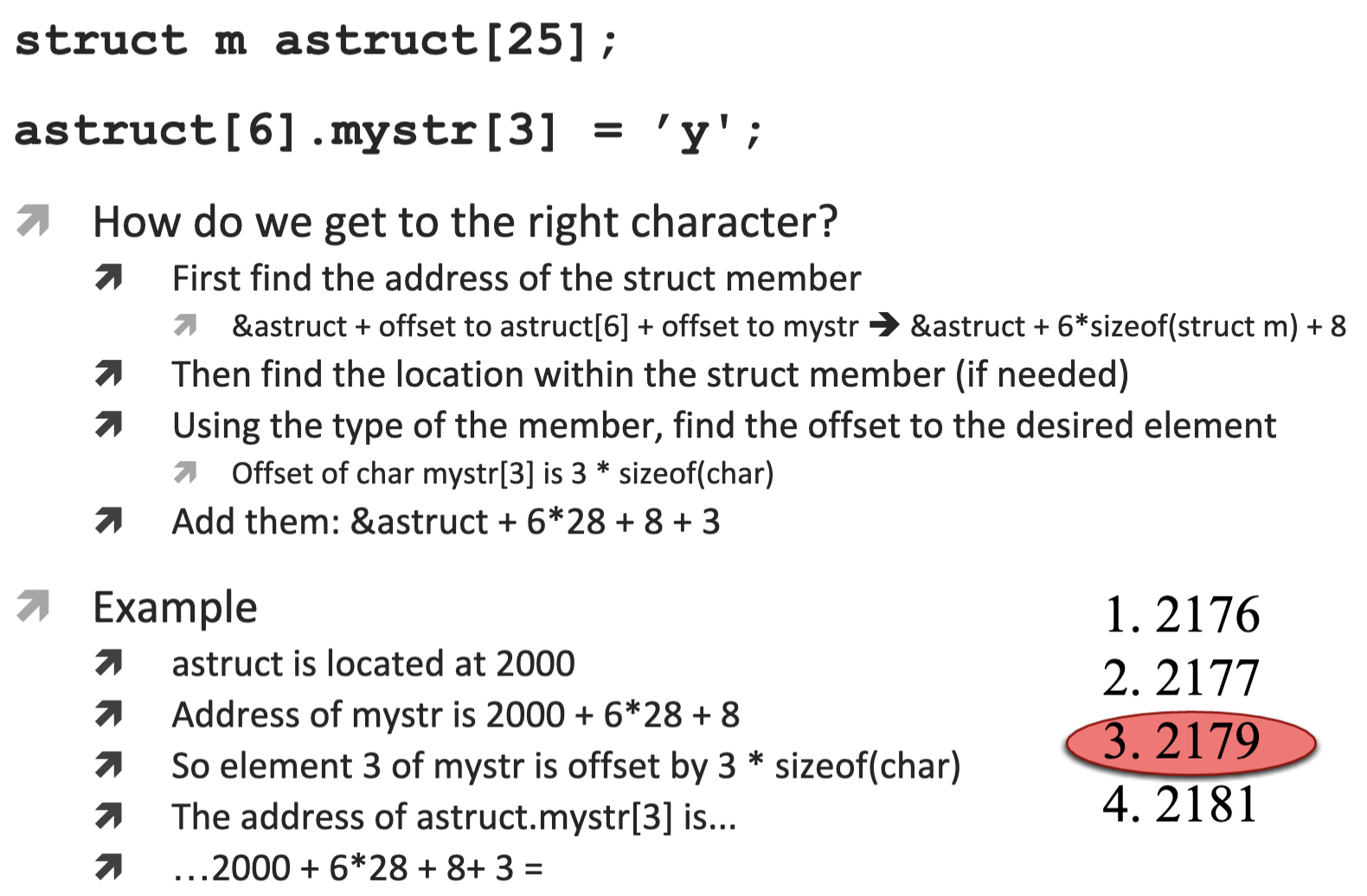
Arrays of Structs
Summary
Struct may
- be copied or assgined
- have their address taken with &
- have their members accessed
- be passed as arguments to functions
- be returned from functions
Struct may not
- be compared
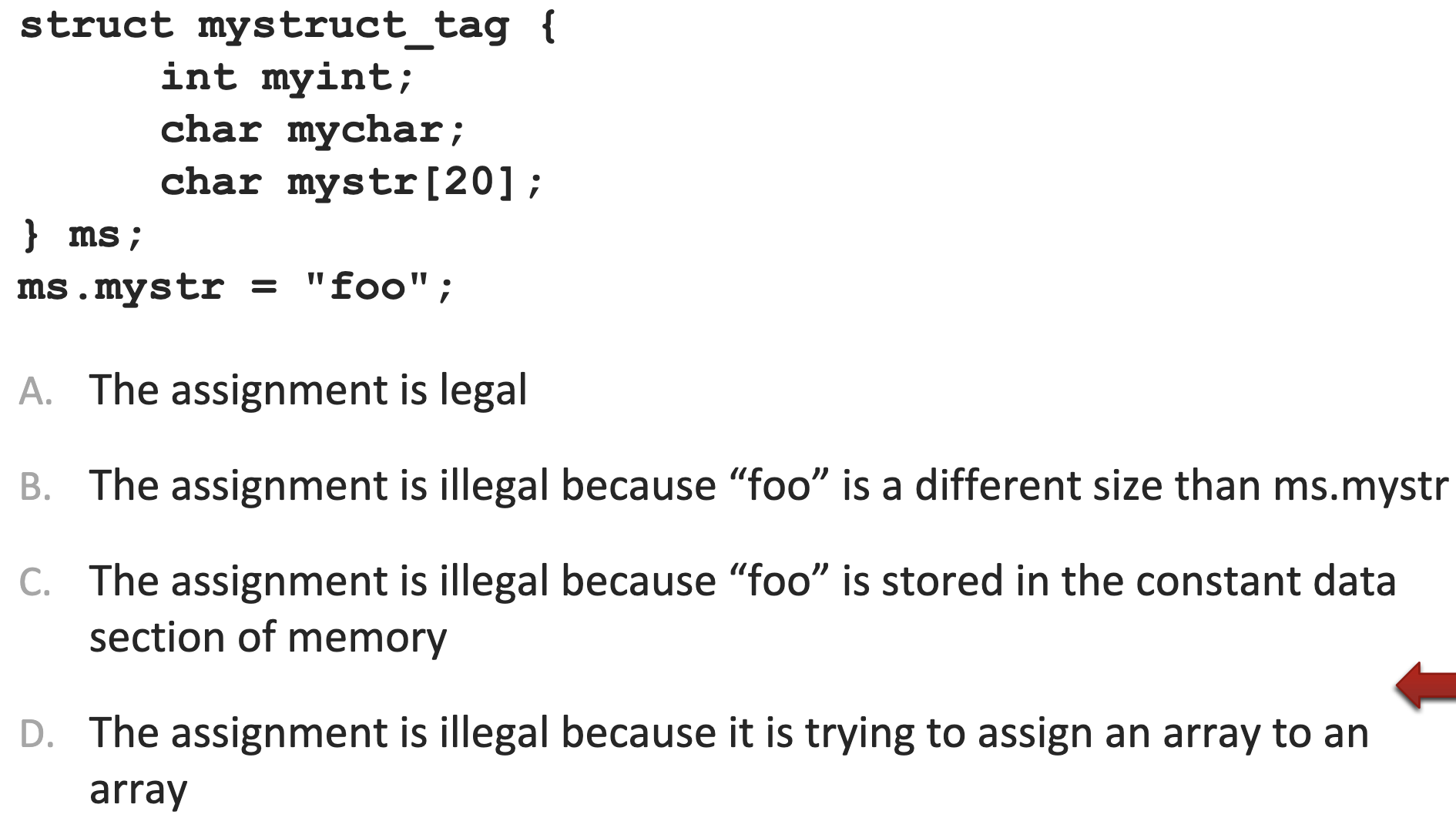
In-class quiz question 1
Answer
D. mystr is a constant pointer to an array, and mystr = "any string" is incorrect. strcpy is allowed
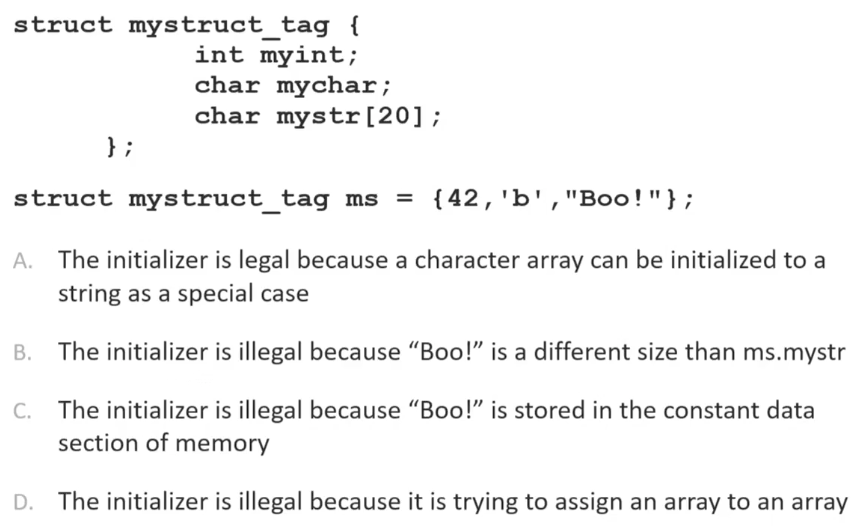
In-class quiz question 2
Answerr
A
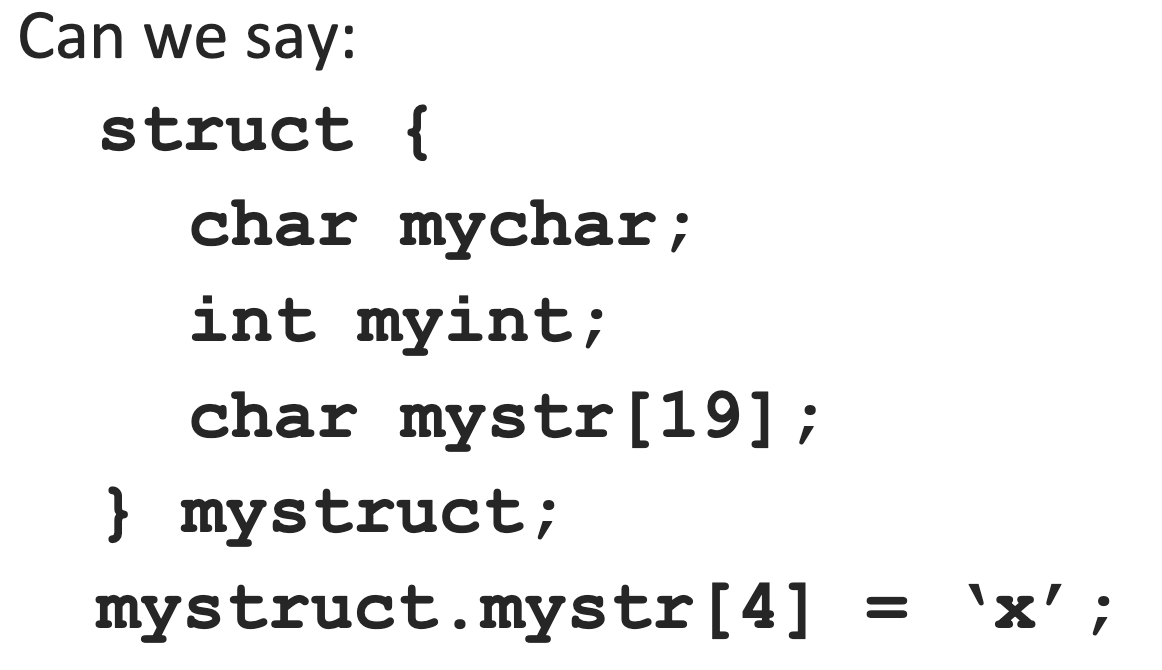
In-class quiz question 3
Answrer
Yes
In-class quiz question 4
Answer
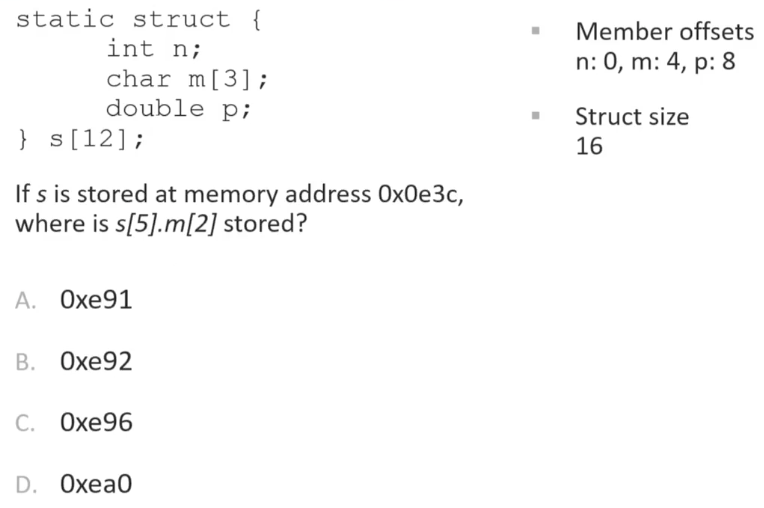
Answer